<!DOCTYPE HTML PUBLIC "-//W3C//DTD HTML 4.0 Transitional//EN">
<!-- saved from url=(0088)http://www.cs.princeton.edu/courses/archive/fall01/cs426/assignments/assn1/examples.html -->
<HTML><HEAD><TITLE>Assignment 1 - Examples</TITLE>
<META http-equiv=Content-Type content="text/html; charset=iso-8859-1">
<META content="MSHTML 6.00.2722.900" name=GENERATOR></HEAD>
<BODY>
<CENTER>
<H2>Examples for Assignment 1</H2></CENTER>
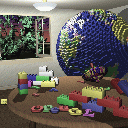
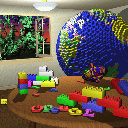
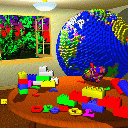
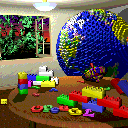
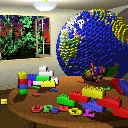
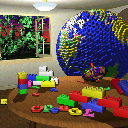
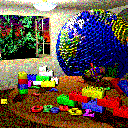
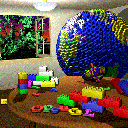
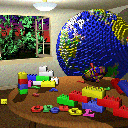
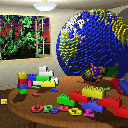
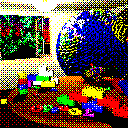
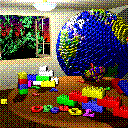
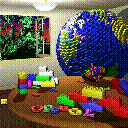
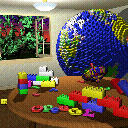
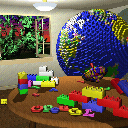
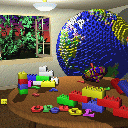
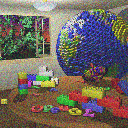
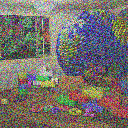
<H3>Random Noise</H3><PRE>void Image::AddNoise(double factor);</PRE>Adds noise to an image. The 
amount of noise is given by the factor in the range [0.0..1.0]. 0.0 adds no 
noise. 1.0 adds a lot of noise. 
<CENTER>
<TABLE cellSpacing=0 cellPadding=10 border=0>
  <TBODY>
  <TR>
    <TD vAlign=top align=middle><IMG height=128 alt="noise0.gif (12403 bytes)" 
      src="examples_files/noise1.gif" width=128> <BR>0.0</TD>
    <TD vAlign=top align=middle><IMG height=128 alt="noise1.gif (18518 bytes)" 
      src="examples_files/noise2.gif" width=128> <BR>0.25</TD>
    <TD vAlign=top align=middle><IMG height=128 alt="noise2.gif (21625 bytes)" 
      src="examples_files/noise3.gif" width=128> <BR>0.5</TD>
    <TD vAlign=top align=middle><IMG height=128 alt="noise3.gif (22782 bytes)" 
      src="examples_files/noise4.gif" width=128> <BR>0.75</TD>
    <TD vAlign=top align=middle><IMG height=128 alt="noise4.gif (23266 bytes)" 
      src="examples_files/noise5.gif" width=128> 
<BR>1.0</TD></TR></TBODY></TABLE></CENTER>
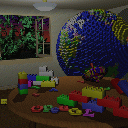
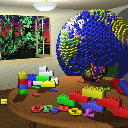
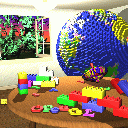
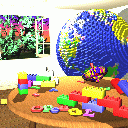
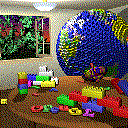
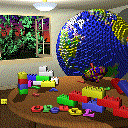
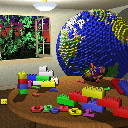
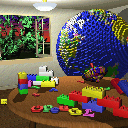
<H3>Brightness</H3><PRE>void Image::Brighten(double
factor);</PRE>Changes the brightness of an image by interpolating
between the original image and a black image (factor = -1.0) or a
white image (factor = 1.0).  Interpolation with the black image darkens the 
image, and interpolation with the white image brightens it.&nbsp; See <A 
href="http://www.sgi.com/grafica/interp/index.html">Graphica Obscura</A>. 
<CENTER>
<TABLE cellSpacing=0 cellPadding=10 border=0>
  <TBODY>
  <TR>
    <TD vAlign=top align=middle><IMG height=128 
      alt="brightness0.gif (1001 bytes)" src="examples_files/brightness1.gif" 
      width=128> <BR>0.0</TD>
    <TD vAlign=top align=middle><IMG height=128 
      alt="brightness1.gif (12393 bytes)" src="examples_files/brightness2.gif" 
      width=128> <BR>0.5</TD>
    <TD vAlign=top align=middle><IMG height=128 
      alt="brightness2.gif (12403 bytes)" src="examples_files/brightness3.gif" 
      width=128> <BR>1.0</TD>
    <TD vAlign=top align=middle><IMG height=128 
      alt="brightness3.gif (11830 bytes)" src="examples_files/brightness4.gif" 
      width=128> <BR>1.5</TD>
    <TD vAlign=top align=middle><IMG height=128 
      alt="brightness4.gif (10715 bytes)" src="examples_files/brightness5.gif" 
      width=128> <BR>2.0</TD></TR></TBODY></TABLE></CENTER>
<H3>Contrast</H3><PRE>void Image::ChangeContrast(double factor);</PRE>Changes the contrast of an 
image by interpolating between a constant gray image (factor = 0) with the 
average luminance and the original image (factor = 1). Interpolation reduces 
contrast, extrapolation boosts contrast, and negative factors generate inverted 
images. See <A href="http://www.sgi.com/grafica/interp/index.html">Graphica 
Obscura</A>. 
<CENTER>
<TABLE cellSpacing=0 cellPadding=10 border=0>
  <TBODY>
  <TR>
    <TD vAlign=top align=middle><IMG height=128 
      alt="contrast0.gif (12278 bytes)" src="examples_files/contrast1.gif" 
      width=128> <BR>-0.5</TD>
    <TD vAlign=top align=middle><IMG height=128 
      alt="contrast1.gif (1001 bytes)" src="examples_files/contrast2.gif" 
      width=128> <BR>0.0</TD>
    <TD vAlign=top align=middle><IMG height=128 
      alt="contrast2.gif (12285 bytes)" src="examples_files/contrast3.gif" 
      width=128> <BR>0.5</TD>
    <TD vAlign=top align=middle><IMG height=128 
      alt="contrast3.gif (12403 bytes)" src="examples_files/contrast4.gif" 
      width=128> <BR>1.0</TD>
    <TD vAlign=top align=middle><IMG height=128 
      alt="contrast4.gif (11338 bytes)" src="examples_files/contrast5.gif" 
      width=128> <BR>1.7</TD></TR></TBODY></TABLE></CENTER>
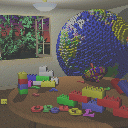
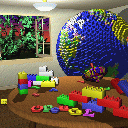
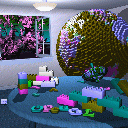
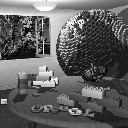
<H3>Saturation</H3><PRE>void Image::ChangeSaturation(double factor);</PRE>Changes the saturation of 
an image by interpolating between a gray level version of the image (factor = 0) 
and the original image (factor = 1). Interpolation decreases saturation, 
extrapolation increases it, and negative factors preserve luminance but invert 
the hue of the input image. See <A 
href="http://www.sgi.com/grafica/interp/index.html">Graphica Obscura</A>. 
<CENTER>
<TABLE height=147 cellSpacing=0 cellPadding=10 border=0>
  <TBODY>
  <TR>
    <TD vAlign=top align=middle height=127><IMG height=128 
      alt="saturation0.gif (12584 bytes)" src="examples_files/saturation1.gif" 
      width=128> <BR>-1.0</TD>
    <TD vAlign=top align=middle height=127><IMG height=128 
      alt="saturation1.gif (18237 bytes)" src="examples_files/saturation2.gif" 
      width=128> <BR>0.0</TD>
    <TD vAlign=top align=middle height=127><IMG height=128 
      alt="saturation2.gif (12764 bytes)" src="examples_files/saturation3.gif" 
      width=128> <BR>0.5</TD>
    <TD vAlign=top align=middle height=127><IMG height=128 
      alt="saturation3.gif (12403 bytes)" src="examples_files/saturation4.gif" 
      width=128> <BR>1.0</TD>
    <TD vAlign=top align=middle height=127><IMG height=128 
      alt="saturation4.gif (12301 bytes)" src="examples_files/saturation5.gif" 
      width=128> <BR>2.5</TD></TR></TBODY></TABLE></CENTER>
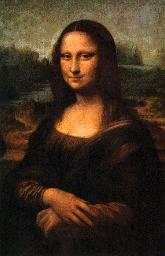
<H3>Crop</H3><PRE>Image* Image::Crop(int x, int y, int w, int h);</PRE>Extract a sub image 
from the image, at position (x,y), width w, and height h. 
<CENTER>
<TABLE height=147 cellSpacing=0 cellPadding=10 border=0>
  <TBODY>
  <TR>
    <TD vAlign=top align=middle height=127><BR><IMG height=256 
      src="examples_files/monalisa.jpg" width=165></TD>
    <TD vAlign=top align=middle height=127><BR><IMG height=93 
      src="examples_files/face.jpg" width=85> 
<BR>Crop(42,16,85,93)</TD></TR></TBODY></TABLE></CENTER>
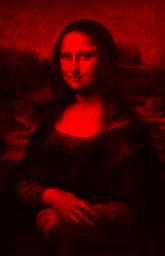
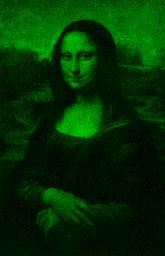
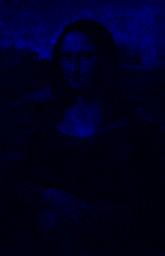
<H3>Extract Channel</H3><PRE>void Image::ExtractChannel(int channel);</PRE>Extract a channel of an 
image.&nbsp; Leaves the specified channel intact.&nbsp; Sets all other ones to 
zero. 
<CENTER>
<TABLE height=147 cellSpacing=0 cellPadding=10 border=0>
  <TBODY>
  <TR>
    <TD vAlign=top align=middle height=127><IMG height=256 
      src="examples_files/monalisa.jpg" width=165> <BR>Original</TD>
    <TD vAlign=top align=middle height=127><IMG height=256 
      src="examples_files/monaRed.jpg" width=165> <BR>Red</TD>
    <TD vAlign=top align=middle height=127><IMG height=256 
      src="examples_files/monaGreen.jpg" width=165> <BR>Green</TD>
    <TD vAlign=top align=middle height=127><IMG height=256 
      src="examples_files/monaBlue.jpg" width=165> 
<BR>Blue</TD></TR></TBODY></TABLE></CENTER>
<H3>Quantization</H3><PRE>void Image::Quantize(int nbits);</PRE>Converts an image to <TT>nbits</TT> 
bits per channel using uniform quantization. 
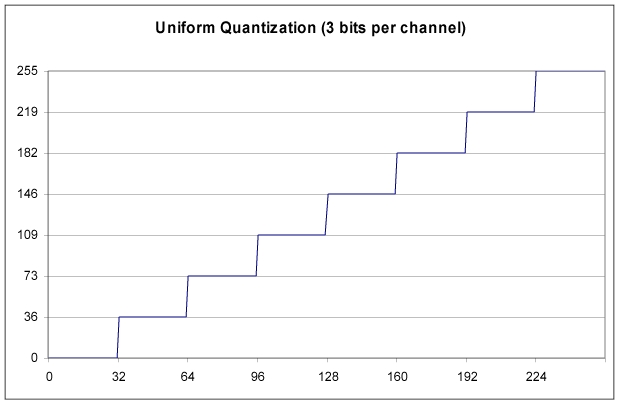
<P>The number of levels per channel is <I>L</I> = 2<TT><SUP>nbits</SUP></TT>. 
The size of each input interval is <I>a</I> = 256 /<I> L</I>. The size of each 
output output interval is <I>b</I> = 255.0 / (<I>L</I> - 1). Each component 
<I>c</I> is mapped to floor(<I>c</I> / <I>a</I>) * <I>b</I>. The graph below 
shows the resulting staircase function for the case <TT>nbits</TT> = 3 
<BLOCKQUOTE>
  <CENTER><IMG height=405 alt="quantization.jpg (70758 bytes)" 
  src="examples_files/quantization.jpg" width=621></CENTER></BLOCKQUOTE>All the 
pixels within the same input interval are mapped to the same output level. 
Notice the contours that appear when <TT>nbits</TT> is low. 
<CENTER>
<TABLE height=147 cellSpacing=0 cellPadding=10 border=0>
  <TBODY>
  <TR>
    <TD vAlign=top align=middle height=127><IMG height=128 
      alt="quantize1.gif (3642 bytes)" src="examples_files/quantize1.gif" 
      width=128> <BR>1</TD>
    <TD vAlign=top align=middle height=127><IMG height=128 
      alt="quantize2.gif (6953 bytes)" src="examples_files/quantize2.gif" 
      width=128> <BR>2</TD>
    <TD vAlign=top align=middle height=127><IMG height=128 
      alt="quantize3.gif (10603 bytes)" src="examples_files/quantize3.gif" 
      width=128> <BR>3</TD>
    <TD vAlign=top align=middle height=127><IMG height=128 
      alt="quantize4.gif (11920 bytes)" src="examples_files/quantize4.gif" 
      width=128> <BR>4</TD>
    <TD vAlign=top align=middle height=127><IMG height=128 
      alt="quantize5.gif (12496 bytes)" src="examples_files/quantize5.gif" 
      width=128> <BR>5</TD></TR></TBODY></TABLE></CENTER>Other mappings exist, and 
will be accepted. Just make sure you explain the mapping you use. 
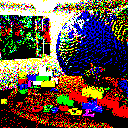
<H3>Random Dither</H3><PRE>void Image::RandomDither(int nbits);</PRE>Converts an image to 
<TT>nbits</TT> bits per channel using random dithering. It is similar to uniform 
quantization, but random noise is added to each component during quantization. 
Using <I>a</I> and <I>b</I> as defined for quantization, each component <I>c</I> 
is mapped to floor(<I>c</I> / <I>a</I> + noise()) * <I>b</I>. The function 
noise() returns a random floating point number in the interval [-0.5,0.5]. 
<CENTER>
<TABLE height=147 cellSpacing=0 cellPadding=10 border=0>
  <TBODY>
  <TR>
    <TD vAlign=top align=middle height=127><IMG height=128 
      alt="randomDither1.gif (6166 bytes)" 
      src="examples_files/randomDither1.gif" width=128> <BR>1</TD>
    <TD vAlign=top align=middle height=127><IMG height=128 
      alt="randomDither2.gif (11112 bytes)" 
      src="examples_files/randomDither2.gif" width=128> <BR>2</TD>
    <TD vAlign=top align=middle height=127><IMG height=128 
      alt="randomDither3.gif (14954 bytes)" 
      src="examples_files/randomDither3.gif" width=128> <BR>3</TD>
    <TD vAlign=top align=middle height=127><IMG height=128 
      alt="randomDither4.gif (13871 bytes)" 
      src="examples_files/randomDither4.gif" width=128> <BR>4</TD>
    <TD vAlign=top align=middle height=127><IMG height=128 
      alt="randomDither5.gif (13053 bytes)" 
      src="examples_files/randomDither5.gif" width=128> 
<BR>5</TD></TR></TBODY></TABLE></CENTER>
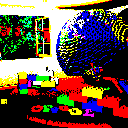
<H3>Ordered Dither</H3><PRE>void Image::OrderedDither(int nbits);</PRE>Converts an image to 
<TT>nbits</TT> bits per channel using ordered dithering. It is similar to 
uniform quantization, but pseudo-random noise is added to each component before 
quantization. The amount of noise added is determined by a Bayer's pattern 
matrix. The following examples used the matrix 
<CENTER>
<TABLE cellSpacing=0 cellPadding=5 border=0>
  <TBODY>
  <TR>
    <TD align=right rowSpan=4>Bayer4</TD>
    <TD align=right rowSpan=4>=</TD>
    <TD align=right>15</TD>
    <TD align=right>7</TD>
    <TD align=right>13</TD>
    <TD align=right>5</TD></TR>
  <TR>
    <TD align=right>3</TD>
    <TD align=right>11</TD>
    <TD align=right>1</TD>
    <TD align=right>9</TD></TR>
  <TR>
    <TD align=right>12</TD>
    <TD align=right>4</TD>
    <TD align=right>14</TD>
    <TD align=right>6</TD></TR>
  <TR>
    <TD align=right>0</TD>
    <TD align=right>8</TD>
    <TD align=right>2</TD>
    <TD align=right>10</TD></TR></TBODY></TABLE></CENTER>For each pixel at 
(<I>x</I>,<I>y</I>), we compute <I>i</I> = <I>x</I> % 4, <I>j</I> = <I>y</I> % 
4. Then, using <I>a</I> and <I>b</I> as defined for quantization, a component 
<I>c</I> is mapped to floor(<I>c</I> / <I>a</I> - 0.5 + 
Bayer4[<I>i</I>][<I>j</I>] / 15.0) * <I>b</I>. 
<CENTER>
<TABLE cellSpacing=0 cellPadding=10 border=0>
  <TBODY>
  <TR>
    <TD vAlign=top align=middle><IMG height=128 
      alt="orderedDither1.gif (3612 bytes)" 
      src="examples_files/orderedDither1.gif" width=128> <BR>1</TD>
    <TD vAlign=top align=middle><IMG height=128 
      alt="orderedDither1.gif (3612 bytes)" 
      src="examples_files/orderedDither2.gif" width=128> <BR>2</TD>
    <TD vAlign=top align=middle><IMG height=128 
      alt="orderedDither1.gif (3612 bytes)" 
      src="examples_files/orderedDither3.gif" width=128> <BR>3</TD>
    <TD vAlign=top align=middle><IMG height=128 
      alt="orderedDither1.gif (3612 bytes)" 
      src="examples_files/orderedDither4.gif" width=128> <BR>4</TD>
    <TD vAlign=top align=middle><IMG height=128 
      alt="orderedDither1.gif (3612 bytes)" 
      src="examples_files/orderedDither5.gif" width=128> 
<BR>5</TD></TR></TBODY></TABLE></CENTER>
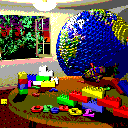
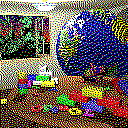
<H3>Floyd-Steinberg Dither</H3><PRE>void Image::FloydSteinbergDither(int nbits);</PRE>Converts an image to 
<TT>nbits</TT> per channel using Floyd-Steinberg dither with error diffusion. 
Each pixel (<I>x</I>,<I>y</I>) is quantized, and the quantization error is 
computed. Then the error is diffused to the neighboring pixels (<I>x</I> + 1,<I> 
y</I>), (<I>x</I> - 1,<I> y</I> + 1), (<I>x</I>,<I> y</I> + 1), and (<I>x</I> + 
1,<I> y</I> + 1) , with weights 7/16, 3/16, 5/16, and 1/16, respectively. 
<CENTER>
<TABLE cellSpacing=0 cellPadding=10 border=0>
  <TBODY>
  <TR>
    <TD vAlign=top align=middle><IMG height=128 
      alt="orderedDither1.gif (3612 bytes)" 
      src="examples_files/FloydSteinbergDither1.gif" width=128> <BR>1</TD>
    <TD vAlign=top align=middle><IMG height=128 
      alt="orderedDither1.gif (3612 bytes)" 
      src="examples_files/FloydSteinbergDither2.gif" width=128> <BR>2</TD>
    <TD vAlign=top align=middle><IMG height=128 
      alt="orderedDither1.gif (3612 bytes)" 
      src="examples_files/FloydSteinbergDither3.gif" width=128> <BR>3</TD>
    <TD vAlign=top align=middle><IMG height=128 
      alt="orderedDither1.gif (3612 bytes)" 
      src="examples_files/FloydSteinbergDither4.gif" width=128> <BR>4</TD>
    <TD vAlign=top align=middle><IMG height=128 
      alt="orderedDither1.gif (3612 bytes)" 
      src="examples_files/FloydSteinbergDither5.gif" width=128> 
  <BR>5</TD></TR></TBODY></TABLE></CENTER>
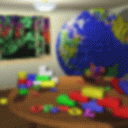
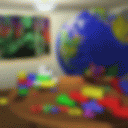
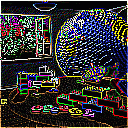
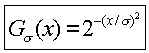
<H3>Blur</H3><PRE>void Image::Blur(double sigma);</PRE>Blurs an image by convolving it with a
Gaussian filter. In the examples below, the Gaussian function used was 
<CENTER>
<P><IMG height=53 alt="wpe8D.jpg (2570 bytes)" src="examples_files/gauss.jpg" 
width=149></CENTER>
<P>and the integer below each image indicates the radius of the filter width,
which should be 3*sigma in your examples.
<CENTER>
<TABLE cellSpacing=0 cellPadding=10 border=0>
  <TBODY>
  <TR>
    <TD vAlign=top align=middle><IMG height=128 alt="blur1.gif (12577 bytes)" 
      src="examples_files/blur1.gif" width=128> <BR>3</TD>
    <TD vAlign=top align=middle><IMG height=128 alt="blur2.gif (11603 bytes)" 
      src="examples_files/blur2.gif" width=128> <BR>7</TD>
    <TD vAlign=top align=middle><IMG height=128 alt="blur3.gif (11161 bytes)" 
      src="examples_files/blur3.gif" width=128> <BR>11</TD>
    <TD vAlign=top align=middle><IMG height=128 alt="blur4.gif (11311 bytes)" 
      src="examples_files/blur4.gif" width=128> <BR>15</TD>
    <TD vAlign=top align=middle><IMG height=128 alt="blur5.gif (11312 bytes)" 
      src="examples_files/blur5.gif" width=128> 
<BR>19</TD></TR></TBODY></TABLE></CENTER>
<H3>Edge detect</H3><PRE>void Image::EdgeDetect();</PRE>Detect edges in an image by convolving it 
with an edge detection kernel. In the example below, the kernel used was 
<CENTER>
<TABLE cellSpacing=0 cellPadding=5 border=0>
  <TBODY>
  <TR>
    <TD width="33%" height=16>
      <DIV align=right><FONT face=Arial><FONT color=#000000><FONT 
      size=-1>-1</FONT></FONT></FONT></DIV></TD>
    <TD width="33%" height=16>
      <DIV align=right><FONT face=Arial><FONT color=#000000><FONT 
      size=-1>-1</FONT></FONT></FONT></DIV></TD>
    <TD width="33%" height=16>
      <DIV align=right><FONT face=Arial><FONT color=#000000><FONT 
      size=-1>-1</FONT></FONT></FONT></DIV></TD></TR>
  <TR>
    <TD width="33%" height=16>
      <DIV align=right><FONT face=Arial><FONT color=#000000><FONT 
      size=-1>-1</FONT></FONT></FONT></DIV></TD>
    <TD width="33%" height=16>
      <DIV align=right><FONT face=Arial><FONT color=#000000><FONT 
      size=-1>8</FONT></FONT></FONT></DIV></TD>
    <TD width="33%" height=16>
      <DIV align=right><FONT face=Arial><FONT color=#000000><FONT 
      size=-1>-1</FONT></FONT></FONT></DIV></TD></TR>
  <TR>
    <TD width="33%" height=16>
      <DIV align=right><FONT face=Arial><FONT color=#000000><FONT 
      size=-1>-1</FONT></FONT></FONT></DIV></TD>
    <TD width="33%" height=16>
      <DIV align=right><FONT face=Arial><FONT color=#000000><FONT 
      size=-1>-1</FONT></FONT></FONT></DIV></TD>
    <TD width="33%" height=16>
      <DIV align=right><FONT face=Arial><FONT color=#000000><FONT 
      size=-1>-1</FONT></FONT></FONT></DIV></TD></TR></TBODY></TABLE></CENTER>
<CENTER><IMG height=128 alt="edgeDetect.gif (11555 bytes)" 
src="examples_files/edgeDetect.gif" width=128></CENTER>
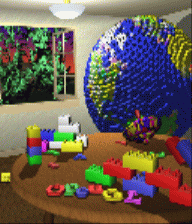
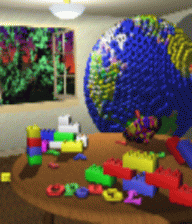
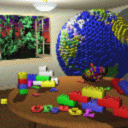
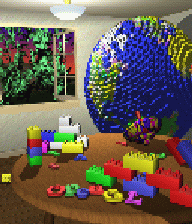
<H3>Scale</H3><PRE>Image *Image::Scale(double sx, double sy);</PRE>Scales an image in x by sx, 
and y by sy. The result depends on the current sampling method (point, bilinear, 
or Gaussian). In the example below, the size of the Gaussian filter is 3x3. 
<CENTER>
<TABLE cellSpacing=0 cellPadding=10 border=0>
  <TBODY>
  <TR>
    <TD vAlign=top align=middle><IMG height=224 alt="scale1.gif (26874 bytes)" 
      src="examples_files/scale1.gif" width=192> <BR>Point</TD>
    <TD vAlign=top align=middle><IMG height=224 alt="scale2.gif (29226 bytes)" 
      src="examples_files/scale2.gif" width=192> <BR>Bilinear</TD>
    <TD vAlign=top align=middle><IMG height=224 alt="scale3.gif (27586 bytes)" 
      src="examples_files/scale3.gif" width=192> 
<BR>Gaussian</TD></TR></TBODY></TABLE></CENTER>If minifying, instead of 
magnifying, first blur the image, then point sample. The size of the blur filter 
is the inverse of the minification factor, rounded up to the closest odd number 
greater than or equal to 3. 
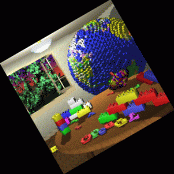
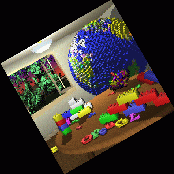
<H3>Rotate</H3><PRE>Image *Image::Rotate(double angle);</PRE>Rotates an image by the given 
angle. The result depends on the current sampling method (point, bilinear, or 
Gaussian). In the example below, the size of the Gaussian filter is 3x3. 
<CENTER>
<TABLE cellSpacing=0 cellPadding=10 border=0>
  <TBODY>
  <TR>
    <TD vAlign=top align=middle><IMG height=174 
      alt="rotate1.gif (13595 bytes)" src="examples_files/rotate1.gif" 
      width=174> <BR>Point</TD>
    <TD vAlign=top align=middle><IMG height=174 
      alt="rotate2.gif (13842 bytes)" src="examples_files/rotate2.gif" 
      width=174> <BR>Bilinear</TD>
    <TD vAlign=top align=middle><IMG height=174 
      alt="rotate3.gif (13617 bytes)" src="examples_files/rotate3.gif" 
      width=174> <BR>Gaussian</TD></TR></TBODY></TABLE></CENTER>
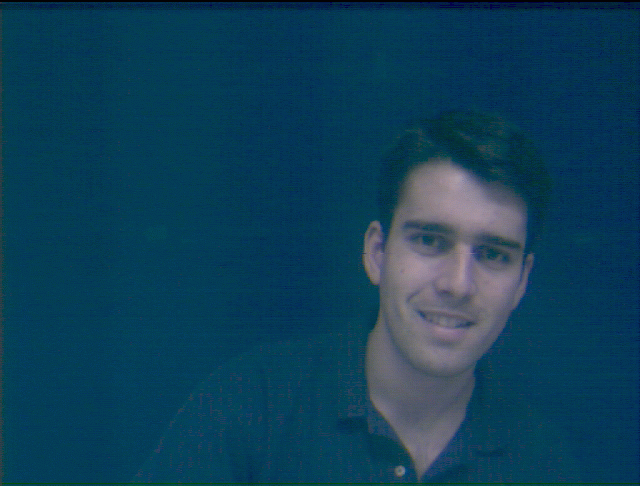
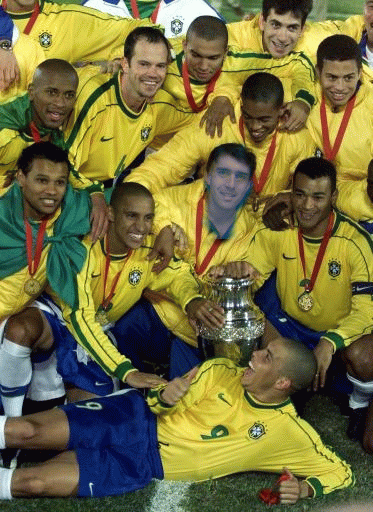
<H3>Composite</H3><PRE>void Image::Composite(Image *bottom, Image *top, Image *result);</PRE>Composites 
the bottom and top images into the result image. 
<BLOCKQUOTE>
  <H4>Original Images</H4>&nbsp; 
  <CENTER>
  <TABLE cellSpacing=0 cellPadding=5 border=0>
    <TBODY>
    <TR>
      <TD>
        <CENTER><IMG height=411 alt="selecao.gif (145753 bytes)" 
        src="examples_files/comp_selecao.gif" width=300></CENTER></TD>
      <TD>
        <CENTER><IMG height=227 alt="wagner.gif (127838 bytes)" 
        src="examples_files/comp_wagner.gif" width=300></CENTER></TD></TR>
    <TR>
      <TD>
        <CENTER>Brazilian soccer team ("seleção")</CENTER></TD>
      <TD>
        <CENTER>Me</CENTER></TD></TR></TBODY></TABLE></CENTER></BLOCKQUOTE>
<BLOCKQUOTE>
  <H4>Auxiliary Images</H4></BLOCKQUOTE>
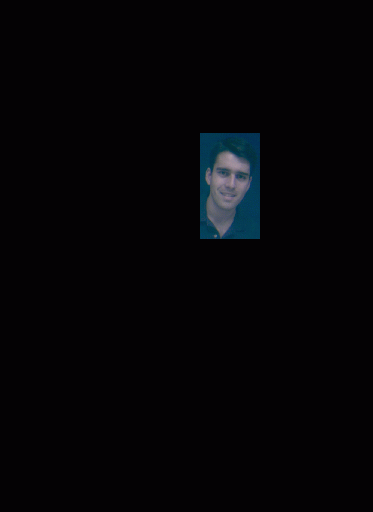
<BLOCKQUOTE><PRE>image -constantColor 373 512 0 0 0 &gt; black.bmp
image -constantColor 373 512 0 0 255 &gt; blue.bmp</PRE>&nbsp; 
  <CENTER>
  <TABLE cellSpacing=0 cellPadding=5 border=0>
    <TBODY>
    <TR>
      <TD><IMG height=411 alt="black.gif (1540 bytes)" 
        src="examples_files/comp_black.gif" width=300></TD>
      <TD><IMG height=411 alt="blue.gif (1540 bytes)" 
        src="examples_files/comp_blue.gif" 
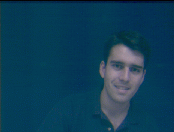
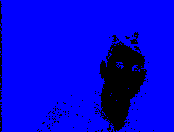
  width=300></TD></TR></TBODY></TABLE></CENTER><PRE>image -scale .27272727 .27272727 &lt; wagner.bmp &gt; front_mask1.bmp
image -extractBlueMask 94 26 60 106 &lt; front_mask1.bmp &gt; front_mask2.bmp
image -subimage 94 26 60 106 &lt; front_mask2.bmp &gt; front_mask3.bmp</PRE>&nbsp; 

  <CENTER>
  <TABLE cellSpacing=0 cellPadding=5 border=0>
    <TBODY>
    <TR>
      <TD><IMG height=132 alt="front_mask1.gif (11429 bytes)" 
        src="examples_files/comp_front_mask1.gif" width=174></TD>
      <TD><IMG height=132 alt="front_mask2.gif (1696 bytes)" 
        src="examples_files/comp_front_mask2.gif" width=174></TD>
      <TD><IMG height=106 alt="front_mask3.gif (1409 bytes)" 
        src="examples_files/comp_front_mask3.gif" 
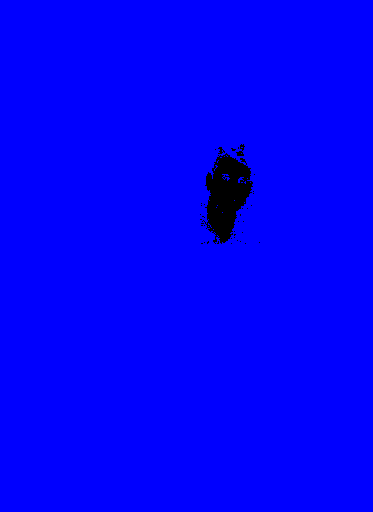
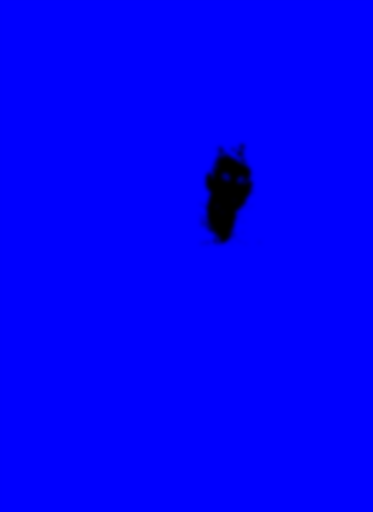
  width=60></TD></TR></TBODY></TABLE></CENTER><PRE>image -paste front_mask3.bmp 200 138 &lt; blue.bmp &gt; front_mask4.bmp
image -blur 11 &lt; front_mask4.bmp &gt; front_mask.bmp</PRE>&nbsp; 
  <CENTER>
  <TABLE cellSpacing=0 cellPadding=5 border=0>
    <TBODY>
    <TR>
      <TD><IMG height=411 alt="front_mask4.gif (1993 bytes)" 
        src="examples_files/comp_front_mask4.gif" width=300></TD>
      <TD><IMG height=411 alt="front_mask.gif (8001 bytes)" 
        src="examples_files/comp_front_mask.gif" 
  width=300></TD></TR></TBODY></TABLE></CENTER><PRE>image -subimage 94 26 60 106 &lt; front_mask1.bmp &gt; front1.bmp
image -paste front1.bmp 200 133 &lt; black.bmp &gt; front.bmp</PRE>&nbsp; 
  <CENTER>
  <TABLE cellSpacing=0 cellPadding=5 border=0>
    <TBODY>
    <TR>
      <TD><IMG height=106 alt="front1.gif (8724 bytes)" 
        src="examples_files/comp_front1.gif" width=60></TD>
      <TD><IMG height=411 alt="front.gif (6820 bytes)" 
        src="examples_files/comp_front.gif" 
  width=300></TD></TR></TBODY></TABLE></CENTER>
  <H4>Final Image</H4><PRE>image -composite black.bmp front.bmp front_mask.bmp &lt; selecao.bmp &gt; final.bmp</PRE>
  <CENTER><IMG height=512 alt="composite.gif (145527 bytes)" 
  src="examples_files/comp_final.gif" width=373></CENTER></BLOCKQUOTE>
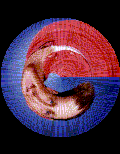
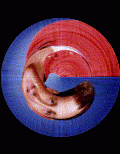
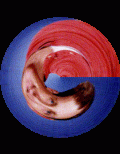
<H3>Fun</H3><PRE>void Image::Fun();</PRE>Warps an image using a creative filter of your 
choice. In the following example, each pixel is mapped to its corresponding 
scaled polar coordinates. The artifacts of point sampling are very noticeable in 
this example. 
<CENTER>
<TABLE cellSpacing=0 cellPadding=10 border=0>
  <TBODY>
  <TR>
    <TD vAlign=top align=middle><IMG height=154 alt="funk.gif (8490 bytes)" 
      src="examples_files/funk.gif" width=120> <BR>Original</TD>
    <TD vAlign=top align=middle><IMG height=154 alt="fun1.gif (6775 bytes)" 
      src="examples_files/fun1.gif" width=120> <BR>Point</TD>
    <TD vAlign=top align=middle><IMG height=154 alt="fun2.gif (10878 bytes)" 
      src="examples_files/fun2.gif" width=120> <BR>Bilinear</TD>
    <TD vAlign=top align=middle><IMG height=154 alt="fun3.gif (10541 bytes)" 
      src="examples_files/fun3.gif" width=120> 
<BR>Gaussian</TD></TR></TBODY></TABLE></CENTER>
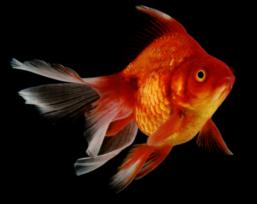
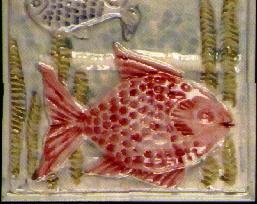
<H3>Morph</H3><PRE>Image* ImageMorph (Image* I0, Image* I1, int numLines, Line* L0, Line* L1, double t);</PRE>Morph 
two images using [Beier92].&nbsp; I0 and I1 are before and after images.&nbsp; 
L0 and L1 are corresponding line segments.&nbsp; t is the morph time, between 0 
and 1. <BR>&nbsp; 
<TABLE cols=2 width="100%" NOSAVE>
  <TBODY>
  <TR NOSAVE>
    <TD NOSAVE>
      <CENTER><IMG height=204 src="examples_files/fishA.jpg" width=257> 
      <BR>before</CENTER></TD>
    <TD>
      <CENTER><IMG height=204 src="examples_files/fishB.jpg" width=257> 
      <BR>after</CENTER></TD></TR></TBODY></TABLE>
<P>&nbsp;<A 
href="http://www.cs.princeton.edu/courses/archive/fall01/cs426/assignments/assn1/images/warp.mov">Quicktime 
(1.8mb)</A> <BR>&nbsp;<A 
href="http://www.cs.princeton.edu/courses/archive/fall01/cs426/assignments/assn1/images/warp.avi">Windows 
AVI (4.2mb)</A> </P></BODY></HTML>